STROKE_RECT
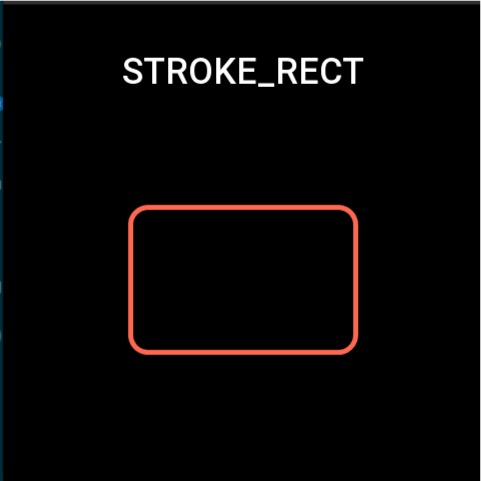
The stroked rectangle widget adds a stroke on the basis of the filled rectangle component.
Create UI widget
const strokeRect = hmUI.createWidget(hmUI.widget.STROKE_RECT, Param)
Type
Param: object
| Properties | Description | Required | Type |
|---|---|---|---|
| x | The x-axis coordinate of the component. | YES | number |
| y | The y-axis coordinate of the component. | YES | number |
| w | The width of the component. | YES | number |
| h | The height of the component. | YES | number |
| color | The component's color. | YES | number |
| radius | The rectangle's rounded corners. | NO | number |
| line_width | The width of stroke. | NO | number |
| angle | Rotation angle. | NO | number |
Code example
Page({
  build() {
    const strokeRect = hmUI.createWidget(hmUI.widget.STROKE_RECT, {
      x: 125,
      y: 125,
      w: 230,
      h: 150,
      radius: 20,
      line_width: 4,
      color: 0xfc6950
    })

    strokeRect.addEventListener(hmUI.event.CLICK_DOWN, (info) => {
      strokeRect.setProperty(hmUI.prop.MORE, {
        y: 200
      })
    })
  }
})