CHECKBOX_GROUP
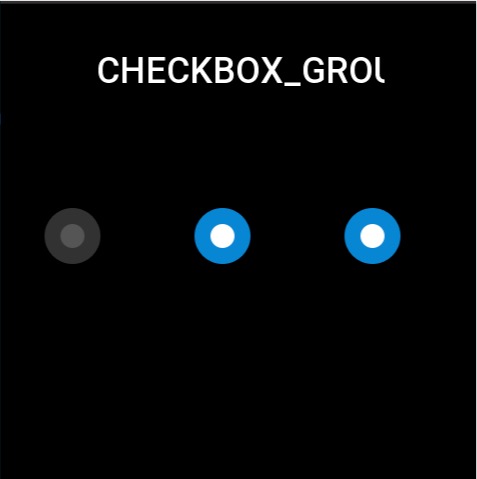
Used to select a single result among multiple options. Each individual option needs to be created using STATE_BUTTON.
Create UI widget
const checkGroup = hmUI.createWidget(hmUI.widget.CHECKBOX_GROUP, checkboxGroupParam)
const stateButton = hmUI.createWidget(hmUI.widget.STATE_BUTTON, stateButtonParam)
Type
checkboxGroupParam: object
| Properties | Description | Required | Type |
|---|---|---|---|
| x | The x-coordinate of widgets. | YES | number |
| y | The y-coordinate of widgets. | YES | number |
| w | The width of widgets. | YES | number |
| h | The height of widgets. | YES | number |
| select_src | The selected image of the widgets. | YES | string |
| unselect_src | The unselected image of the widgets. | YES | string |
| check_func | Callback when button state changes. | NO | CheckFunc |
CheckFunc: function
(checkboxGroup: CheckboxGroup, index: number, checked: boolean) => void
| Parameters | Description | Type |
|---|---|---|
| checkboxGroup | The instance of checkboxGroup. | CheckboxGroup |
| index | Subview index for state changes | number |
| checked | Check or not | boolean |
StateButton
| Properties | Required | Type | Notes |
|---|---|---|---|
| x | YES | number | The x-coordinate of widgets. Coordinates relative to checkboxGroup. |
| y | YES | number | The y-coordinate of widgets. Coordinates relative to checkboxGroup. |
| w | YES | number | The width of widgets. |
| h | YES | number | The height of widgets. |
caution
The widget must be initialized once with hmUI.prop.INIT to render the view
Prop Properties
| Properties | Supports get/set | Type | Notes |
|---|---|---|---|
hmUI.prop.INIT | set | object | Initialize the widget and set the default checkbox |
hmUI.prop.CHECKED | set/get | object(Returns the bool type when get) | Set selected sub-widget.Get the selected state of the sub-widget. |
hmUI.prop.UNCHECKED | set | object | Set unchecked sub-widget. |
Code example
tip
Please refer to Design Resources for the image resources in the code example
Page({
  build() {
    const checkbox_group = hmUI.createWidget(hmUI.widget.CHECKBOX_GROUP, {
      x: 0,
      y: 0,
      w: 480,
      h: 64,
      select_src: 'selected.png',
      unselect_src: 'unselected.png',
      check_func: (group, index, checked) => {
        console.log('index', index)
        console.log('checked', checked)
      }
    })

    const button1 = checkbox_group.createWidget(hmUI.widget.STATE_BUTTON, {
      x: 40,
      y: 200,
      w: 64,
      h: 64
    })
    const button2 = checkbox_group.createWidget(hmUI.widget.STATE_BUTTON, {
      x: 190,
      y: 200,
      w: 64,
      h: 64
    })
    const button3 = checkbox_group.createWidget(hmUI.widget.STATE_BUTTON, {
      x: 340,
      y: 200,
      w: 64,
      h: 64
    })

    checkbox_group.setProperty(hmUI.prop.INIT, button2)
    checkbox_group.setProperty(hmUI.prop.CHECKED, button3)
  }
})