PICK_DATE
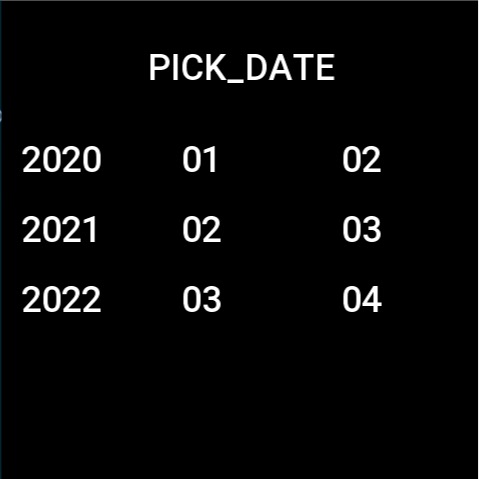
Time picker widget, providing user choice
Create UI widget
const pickDate = hmUI.createWidget(hmUI.widget.PICK_DATE, Param)
Type
Param: object
| Properties | Description | Required | Type |
| ---------- | ------------------------------------------------------------------------------------------------------------------------------------------- | -------- | -------- | -------- |
| x | x-coordinate (x <= 0 will be centered by default) | YES | number |
| y | y-coordinate | YES | number |
| w | Width of the entire widget (width less than 1/2 of the device width will be determined as an exception, set to the default value of 300px) | NO | number |
| padding_1 | padding between the first and second columns | NO | number |
| padding_2 | padding between two and three columns | NO | number |
| font_size | The size of the text on the widget, default 36 | NO | number |
| startYear | Start year | NO | number |
| endYear | End year | NO | number |
| initYear | Initial year | NO | number |
| initMonth | Initial month | NO | number |
| initDay | Initial day | NO | number |
| initHour | Initial hour | NO | number |
| initMin | Initial minute | NO | number |
getProperty supported Fields
| Properties | Description | Type |
|---|---|---|
| year | Year | number |
| month | Month | number |
| day | Day | number |
| hour | Hour | number |
| minute | Minute | number |
Code example
Page({
  build() {
    const pick_date_date = hmUI.createWidget(hmUI.widget.PICK_DATE)
    pick_date_date.setProperty(hmUI.prop.MORE, {
      w: 480,
      x: 20,
      y: 120,
      startYear: 2000,
      endYear: 2030,
      initYear: 2021,
      initMonth: 2,
      initDay: 3
    })

    const confirm = hmUI.createWidget(hmUI.widget.TEXT, {
      x: 0,
      y: 400,
      w: 480,
      h: 80,
      text_size: 42,
      color: 0xffffff,
      text: 'confirm'
    })

    confirm.addEventListener(hmUI.event.CLICK_UP, (info) => {
      const dateObj = pick_date_date.getProperty(hmUI.prop.MORE, {})
      const { year, month, day } = dateObj

      console.log('year', year)
      console.log('month', month)
      console.log('day', day)
    })
  }
})